Reference
Diagnostics & bug reports
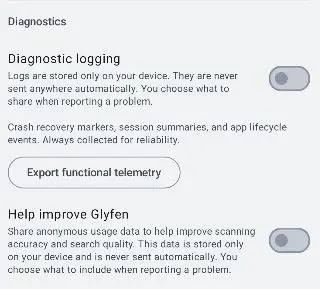
Glyfen can collect information that helps fix problems — but only on your terms. Everything here is opt-in and stored on your device; nothing is sent automatically, and you choose what to share when reporting a problem.
Diagnostic logging
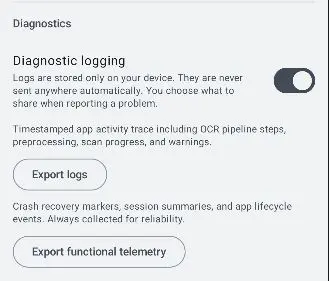
A toggle (off by default) that records a timestamped activity trace — OCR pipeline steps, preprocessing, scan progress, and warnings. Logs are stored only on your device and never sent automatically. When enabled, an Export logs button appears so you can save or share them yourself.
Functional telemetry & “Help improve Glyfen”
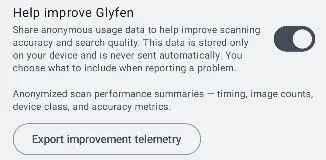
Export functional telemetry lets you save anonymized scan performance summaries — timing, image counts, device class, and accuracy metrics. Help improve Glyfen is a separate opt-in toggle for anonymous usage data that improves scanning accuracy and search quality. Like everything else, it is stored locally and never sent automatically.
Report a bug
Under Support, Report a bug opens a guided flow with optional logs and telemetry. Nothing is sent until you choose to share. The flow has five short steps:
-
Choose what went wrong
Pick a category: App crashed or froze, Search returned wrong results, Text not detected in image, Slow or overheating, UI or display issue, or Other.
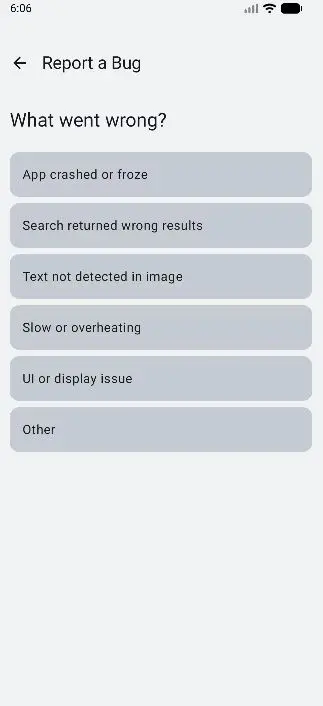
Step 1: pick a category. -
Describe the issue
Explain what you were doing when it happened, then tap Next.
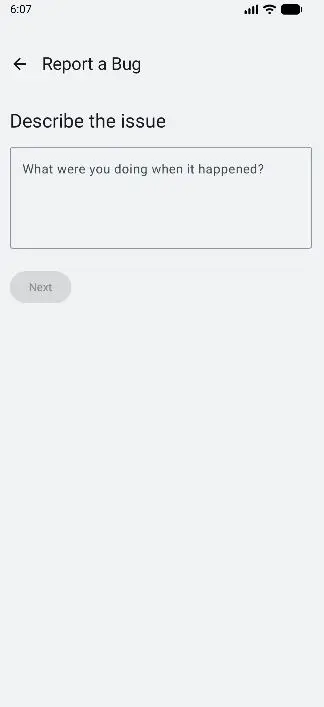
Step 2: describe what happened. -
Include diagnostics (optional)
Choose whether to attach diagnostics (device info and scan session data) and improvement telemetry. Both are toggles you control — no image content or personal data is included.
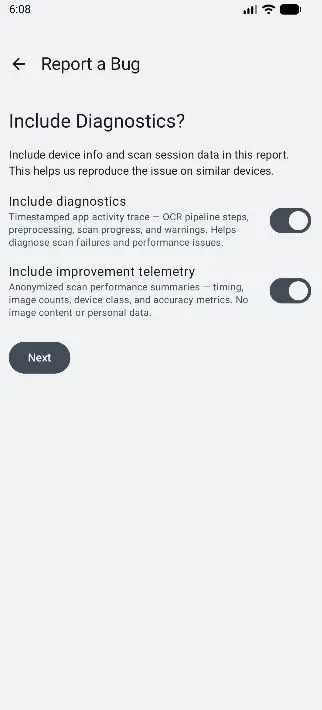
Step 3: decide what to attach. -
Contributor credit (optional)
Optionally enter a name and allow contributor credit if your report helps improve the app.
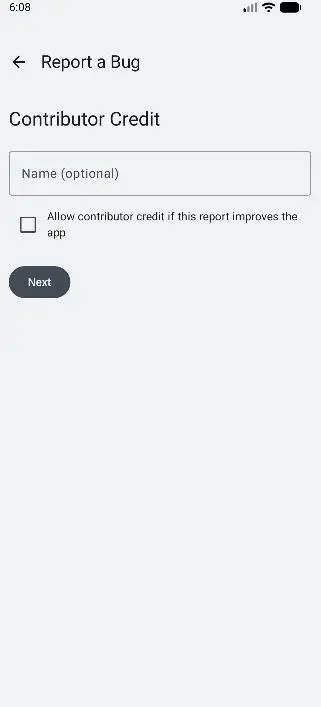
Step 4: optional credit. -
Review & submit
Glyfen shows exactly what will be shared — category, your description, and the approximate size of each attached piece (device info, logs, usage data) — before you tap Submit.
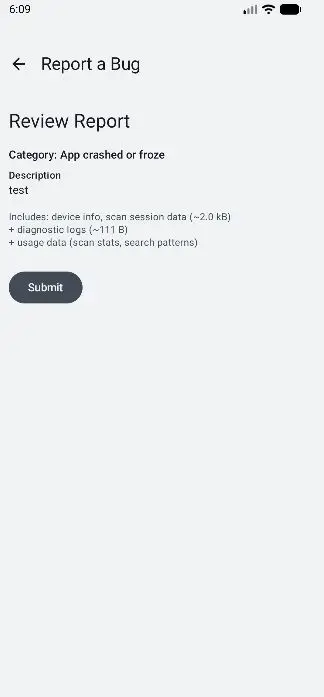
Step 5: review the exact contents, then submit.